
Text to video artificial intelligence turns written prompts into short video clips. Instead of filming a scene, you describe what you want to see, and the model generates motion, framing, style, and scene detail from that instruction.
This is now a practical AI workflow rather than a novelty demo. OpenAI presents Sora as a video model that can create detailed clips with audio from natural language or images, Google positions Veo as a video generation model with stronger creative controls, and Runway documents prompt-first workflows for scene, motion, and camera direction.
Quick answer
Text to video artificial intelligence works by interpreting your written prompt and synthesizing a matching clip. In practice, these systems map the subject, action, scene, camera movement, style, and mood, then generate a sequence of frames that fits the request as closely as possible.
Key takeaways
- Text-to-video AI creates video clips from written prompts.
- Prompt quality matters because the model needs clear direction on subject, motion, style, and camera behavior.
- Strong workflows are iterative: generate, review, refine, and regenerate.
- Text to video starts from words, while image to video starts from an existing image.
What is text to video artificial intelligence?
Text to video artificial intelligence is a form of generative AI that creates video from text instructions. You write a prompt such as "a cinematic drone shot over snowy mountains at sunrise" , and the model generates a clip designed to match that description.
This workflow sits alongside related modes such as image to video and video to video. That matters because some creators start with an idea written in words, while others already have a reference image they want to animate. If the search intent is still exploratory, text to video is usually the first stop.
Prompt to output
A simple mental model
Prompt
Describe subject, action, style, and camera direction.
AI model
The model interprets motion, framing, and scene continuity.
Video output
You review the clip, refine the prompt, and regenerate.
How does text to video AI actually work?
At a high level, the model first interprets your prompt. It tries to understand the subject, environment, action, visual style, camera direction, and mood. Then it generates a sequence of frames that fit those instructions and tries to keep the scene coherent over time.
This is why prompt quality matters. If the prompt is vague, the model has to guess. If the prompt clearly defines the subject, setting, action, visual style, and camera motion, the result is usually closer to what you actually wanted.
Subject
What or who appears in the clip.
Environment
Where the scene takes place and what visual context surrounds it.
Action
What moves, changes, or performs over the duration of the shot.
Style
Whether the result should feel cinematic, animated, glossy, minimal, or realistic.
Camera
Whether the shot should pan, dolly, drift, stay locked, or feel handheld.
Continuity
How well the scene stays coherent from one frame to the next.
What happens after you enter a prompt?
Most text-to-video workflows follow the same loop: write a prompt, generate a first clip, review the result, refine the prompt, and generate again or edit further. That iteration is not a workaround. It is the normal workflow.
Write a prompt
Describe the subject, setting, motion, style, and camera behavior as clearly as you can.
Generate a first clip
The model turns that prompt into a short sequence of frames with motion and scene structure.
Review the output
Look for motion quality, framing, scene coherence, and whether the mood matches your intent.
Refine the prompt
Tighten the action, simplify the scene, or add camera and style guidance where the result drifted.
Generate again or edit
Most practical workflows improve through a few iterations rather than a single perfect prompt.
Try AI Text to Video
Turn written prompts into short videos, compare prompt variations, and move from theory to real outputs on the Lanta AI tool page.
What can text to video artificial intelligence be used for?
For smaller teams, the biggest advantage is speed. Instead of planning a full shoot, you can test visual directions directly from text. That makes text-to-video AI especially useful for concept videos, ads, social clips, product teasers, explainers, and creative experiments.
Cinematic
Landscape-style motion and lighting-focused prompting.
Animated
Stylized character motion with a simpler visual grammar.
Product-focused
Studio-style product motion with loop-friendly composition.
Why are prompts so important?
A text-to-video model can only work with the instructions you give it. That is why strong prompts usually include the subject, setting, action, visual style, camera movement, and mood. The more specific the instruction, the less the model has to invent on your behalf.
Weak prompt
a dog in a park
The model has to guess the breed, light, motion, camera angle, time of day, and emotional tone.
Stronger prompt
a golden retriever running through a sunlit park at golden hour, cinematic slow motion, shallow depth of field, soft warm lighting, handheld camera feel
This version gives the model explicit direction about subject, movement, style, framing, and lighting.
Prompt example box
Cinematic
"Wide aerial drone shot over misty mountain valleys at sunrise, soft fog drifting, slow forward camera movement, volumetric light rays, ultra-realistic, calm atmosphere."
Why it works: Clear setting, light, motion, and camera direction make the scene easier for the model to stage coherently.
Animated
"Cute 2D mascot character waving to the camera, bright flat colors, smooth loop animation, simple clean background, friendly vibe."
Why it works: A narrow art style and a simple motion target reduce visual drift and keep the output readable on mobile.
Product Ad
"Close-up of a black wireless earbud rotating on a glossy table, neon reflections, macro depth of field, seamless loop, studio lighting."
Why it works: Single-object focus plus lighting and loop instructions usually produces stronger promo-style clips.
Text to video vs image to video
Text to video starts from words. Image to video starts from an image and animates it. Both matter, but they solve different jobs and match different search intent.
| Mode | Starts with | Best for | Why users choose it |
|---|---|---|---|
| Text to video | A written prompt | Idea exploration, fast concepting, and zero-asset workflows | You want to go from concept to motion without preparing images first. |
| Image to video | An uploaded image or reference frame | Visual control, character consistency, and animating an existing asset | You already know what the scene should look like and want to animate from that base. |
If you already know what the scene should look like, image to video usually gives you more visual control. If you want to explore ideas from scratch, text to video is usually the better starting point.
What are the main limits of text to video AI?
Even strong models still have limits. Complex physical interactions, perfect consistency, exact scene control, and long narrative continuity can still be difficult. In practice, users should expect to iterate instead of treating the first render as final output.
Complex physical interactions can still look unreliable.
Long-form narrative continuity is harder than short single-scene clips.
Exact scene control and character consistency often require iteration.
Overloaded prompts can create ambiguity instead of more control.
How to get better results from text to video AI
The easiest way to improve output is to think like a director, not just a keyword writer. Describe what the viewer should see, what should move, how the camera should behave, and what mood the scene should create.
Director mindset
- What should the viewer notice first?
- What is the main motion in the scene?
- Should the camera stay still or move?
- What emotional tone should the clip create?
Practical beginner workflow
Describe what the viewer should see first, not just the topic.
Specify what should move and what should stay stable.
Use camera language only when you actually want a camera behavior.
Keep the scene narrow if consistency matters more than variety.
Regenerate with small prompt changes instead of rewriting everything at once.
Try text to video for yourself
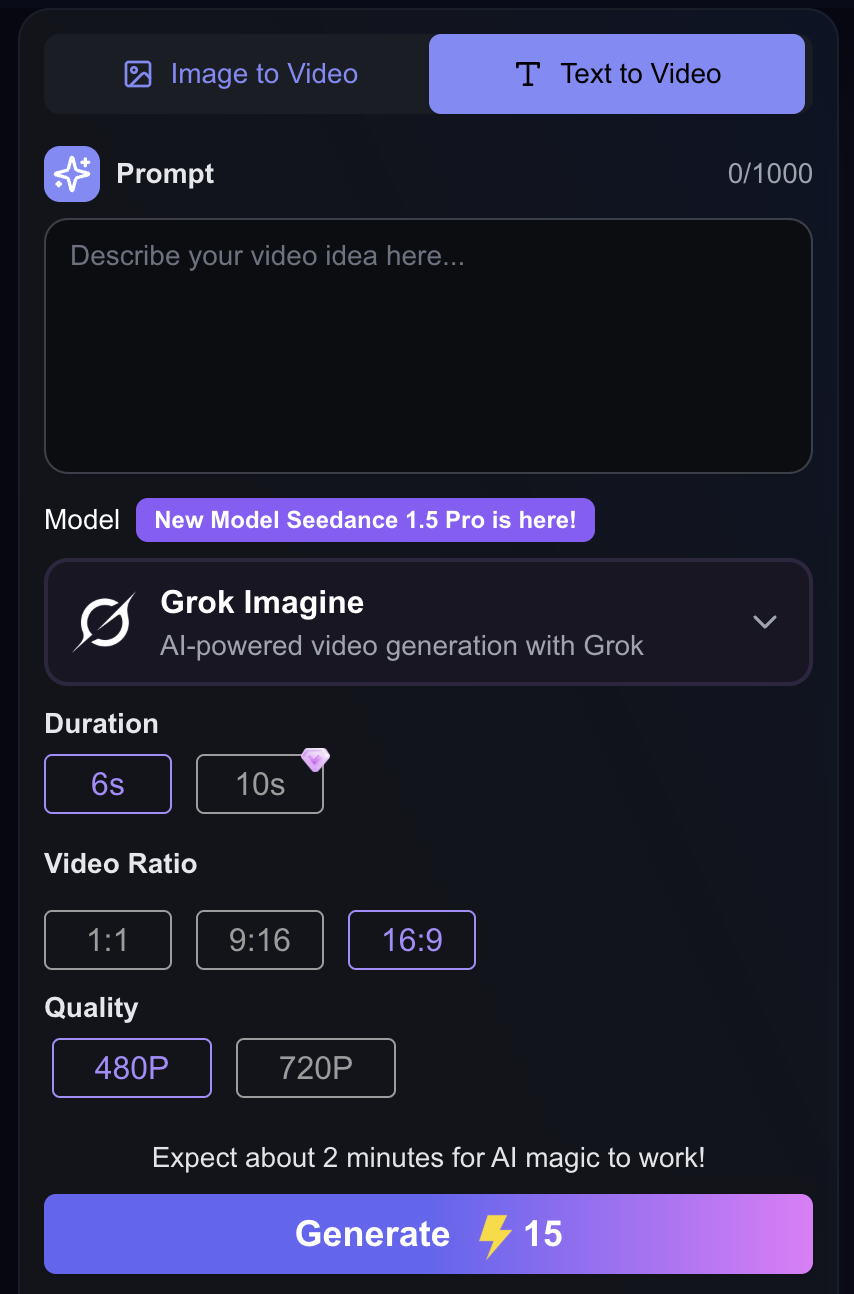
If you want to move from theory to practice, the easiest next step is to test a real tool. You can try Lanta AI's text to video tool to turn written prompts into short videos and see how different prompt structures change the output.
Why this CTA fits the search intent
Users who search "text to video artificial intelligence" usually want to understand the concept first. Once they understand how the workflow works, they are close to trying a tool. That is why this topic naturally bridges informational intent and product intent.
Final thoughts
Text to video artificial intelligence works by translating written prompts into generated video clips using models designed to interpret subject, motion, scene structure, style, and continuity.
The main takeaway is simple: text-to-video AI is no longer just an experiment. It is becoming a practical way to prototype ideas, create social content, explore scenes, and speed up creative production.
If you want to try it directly, start with the tool page.
Lanta AI's AI text to video tool is the clearest next step after reading this explainer.
Frequently Asked Questions
Try AI Text to Video
Turn written prompts into short videos, compare prompt variations, and move from theory to real outputs on the Lanta AI tool page.