
Midjourney Alternatives for Image Generation and Reference-Based Editing
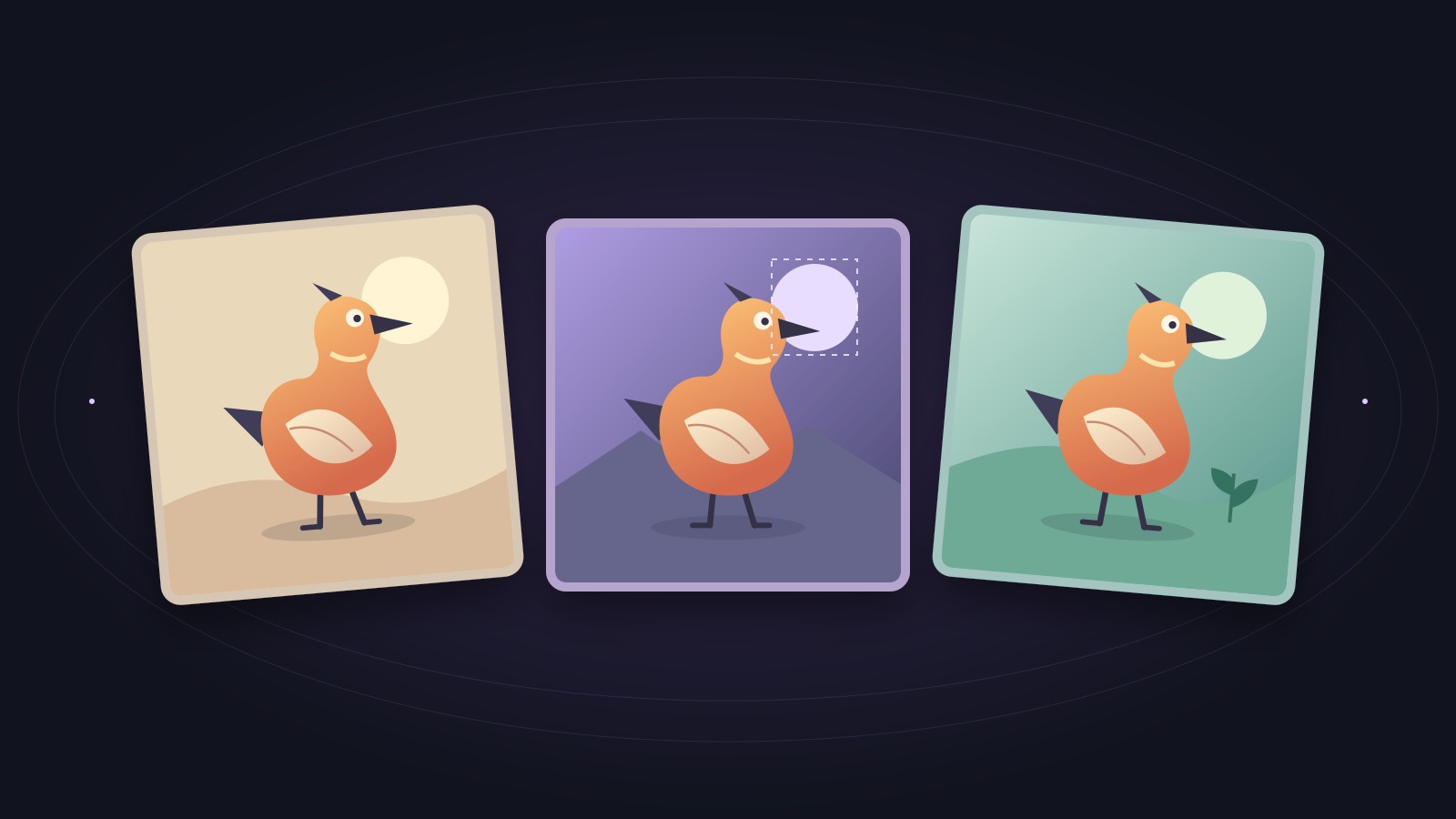
Choose Ideogram for designs where words matter, Adobe Firefly for edits to selected areas, Leonardo for exploring variations with image references, or Lanta AI for switching between text-to-image and reference-based editing. The right Midjourney alternative depends on what must stay unchanged in your finished image.
Midjourney already has a web Editor and can edit uploaded images. A useful comparison starts with the control you need, the text you must get right, and the cost of reaching a usable result.
Create or edit an image in Lanta AIOn this page
Choose by the image you need to deliver
Start by deciding which parts of the image are open to change. That determines whether you need a generator, a selection-based editor, or a reference-image workflow.
Generate a new image
For concept art, illustrations, or a fresh campaign visual, begin with text-to-image. Compare composition and prompt following. If the image includes a headline, make exact spelling a separate requirement: a convincing picture with the wrong event date is still unusable. Ideogram is a relevant starting point for this task.
Modify an existing image
For a product photo with one unwanted object, look for a selection or mask that marks the area to change. Firefly's Fill and Midjourney's Editor offer this kind of control. Prompt-based image editing is useful for broader changes, but an instruction to keep everything else the same is not a pixel lock.
Carry a person or visual element into a new scene
Reuse clear reference images and say what each one supplies: the person, the product, or the visual style. A style reference guides appearance; it does not automatically preserve a face or a logo. Check recognizable features across several scenes, especially when changing the camera angle, outfit, or lighting.
Midjourney alternatives at a glance
All four alternatives can generate images. These differences matter when you need to revise them.
Scroll sideways to compare all columns.
| Tool | New images and text | Editing range | Reference workflow | Cost to watch |
|---|---|---|---|---|
| Midjourney | Text-to-image; proofread embedded words | Web Editor, region edits, expanded canvas | Image references; controls depend on model | GPU time; Relax image generation on Standard and above |
| Ideogram | Typography-focused designs; editable text tools | Studio edits; Canvas Fill and Extend | Character images guide new scenes | Reference generations keep consuming credits |
| Adobe Firefly | Image generation with style and composition controls | Brush selections, Fill, Remove, Expand | Style, layout, and model-dependent image inputs | Standard features and partner models have different allowances |
| Leonardo | Model-dependent image and text output | Omni prompt-based revisions | Multiple references on supported models and plans | Tokens for generations, edits, and finishing actions |
| Lanta AI | Text-to-image with model selection | Image-to-image prompt instructions | Uploaded references; limits vary by model | Displayed credits change with model and settings |
First, check what Midjourney already does
Midjourney supports browser-based creation and an Editor for both generated and uploaded images. Its tools include region selection, canvas resizing, layers, and image-wide changes. You do not need to leave solely to escape Discord or edit an outside photo.
Keep Midjourney if its output already fits your art direction and its Editor handles the revisions you need. Consider switching when a different text workflow, reference control, or usage allowance solves a specific problem. Before moving a project, try the relevant Editor workflow on one representative image.
POSTERS AND GRAPHICS
Ideogram: start with words that need to be readable
Ideogram is worth considering for posters, invitations, and graphics built around a headline. Its Layerize Text beta can turn detected lettering into editable text, using credits; reconstructed fonts and backgrounds may differ. Put the exact wording in your prompt, then check spelling, punctuation, and line breaks at export size.
For an existing image, Studio offers editing tools, while Canvas includes Magic Fill for selected areas and Extend for a wider frame. For a recurring character, the current Ideogram 4.5 workflow accepts one to five reference images. Use the same references and describe the new scene; check the face and costume details in each result.
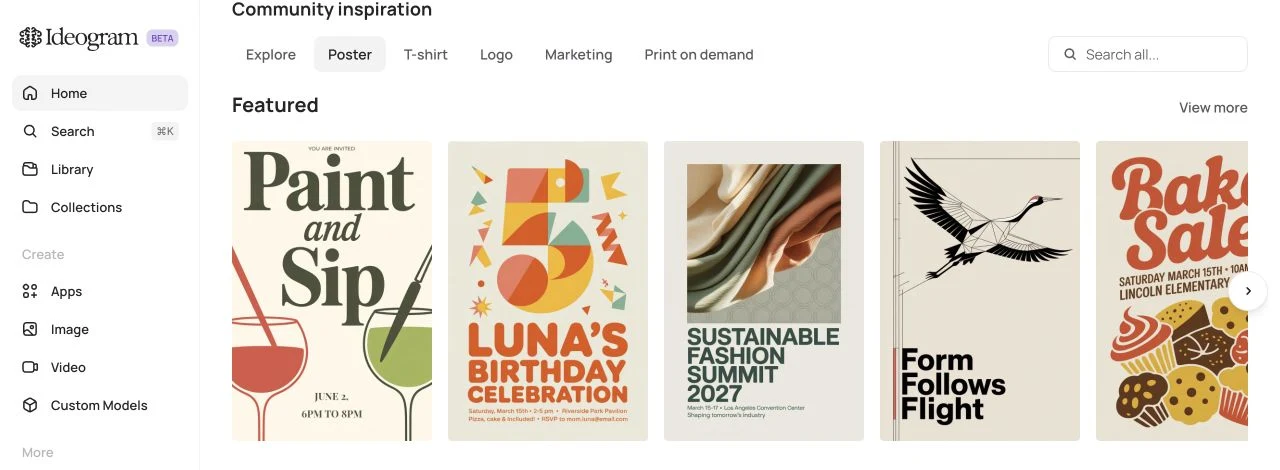
Watch the allowance: Reference-image generations use credits, including after a paid plan's monthly allocation runs out. Canvas editing of uploaded images requires an eligible paid plan. Do not assume a free account unlocks the whole editing workflow.
LOCAL EDITS AND FINISHING
Adobe Firefly: choose the area you want to change
Adobe Firefly fits tasks such as removing an object or replacing part of a background. In its image editor, Fill lets you brush over an area and describe what belongs there. Expand handles space outside the existing frame. Select the smallest useful region, then inspect the boundary, shadows, and nearby details.
Style and composition references can guide new images, but those controls serve different purposes from preserving one person's identity. Available inputs also depend on the selected model. For a finished poster, review generated words and complete exact typography in an editable text workflow if needed.
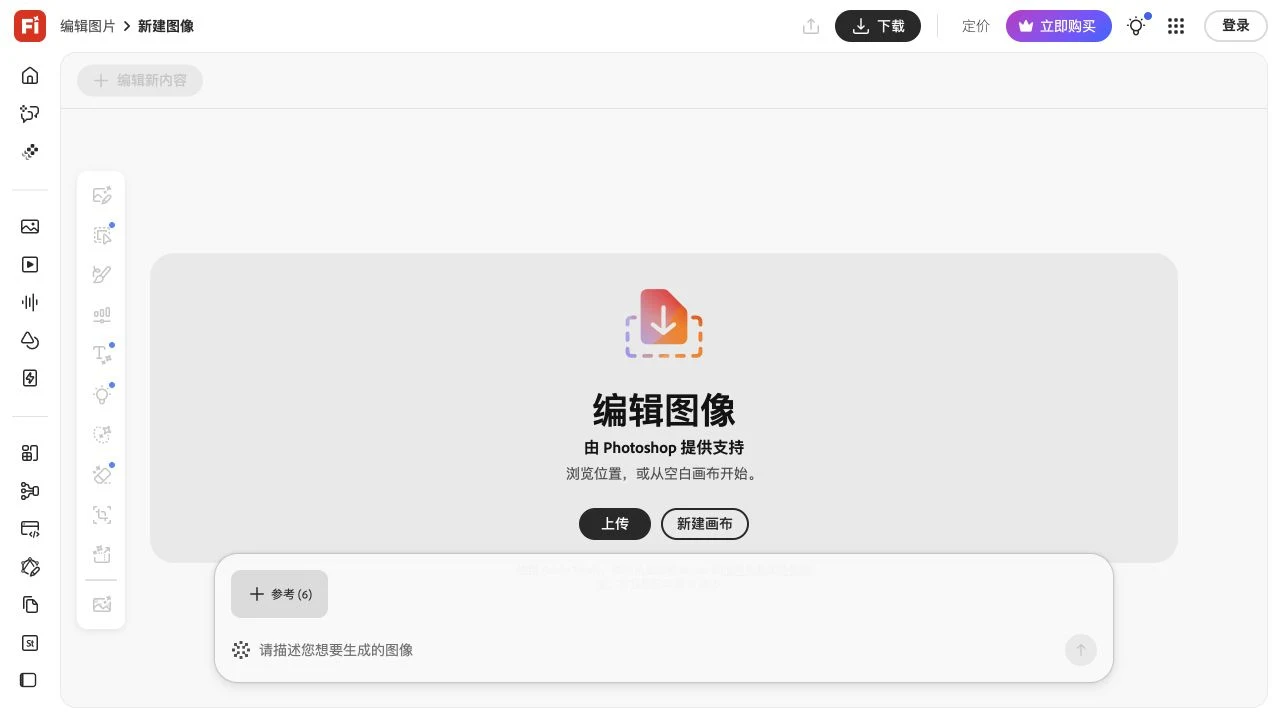
Watch the model: Firefly's standard features and partner models have different credit rules. Check the model and credit indicator before applying an edit, even when your plan includes unlimited standard generations.
REFERENCE-LED ITERATION
Leonardo: explore variations with reference images
Leonardo offers image generation and Omni editing with prompts and references. Its current Image Guidance workflow supports combining references on compatible models. For example, give the subject, product, and color palette separate roles instead of expecting one reference to control everything.
Start from an uploaded or generated image, open the editing workflow, and request one change at a time. Compare each revision with your source before making another. Model and plan choices affect the available controls; check small text and identifying details before upscaling.
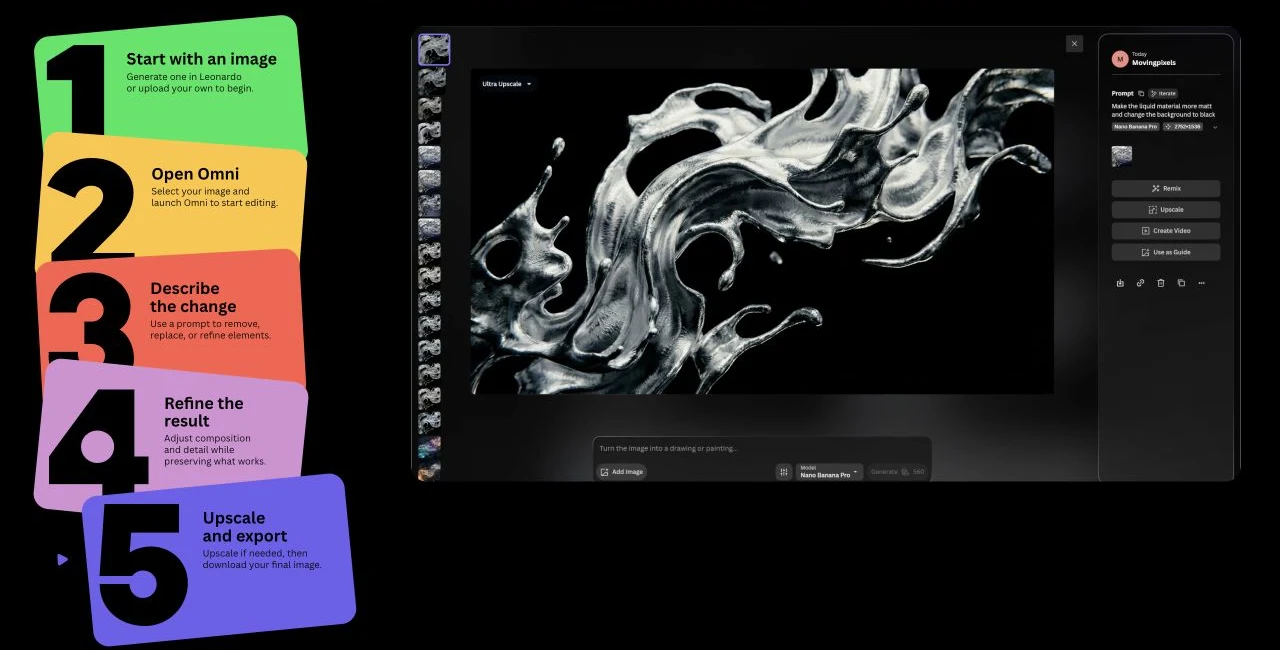
Watch the free-plan limits: The current free plan has 150 tokens per day, Auto-only model access, and public creations. Paid plans expand model choice and reference capacity. Token counts are not image counts: edits and finishing actions can also use tokens.
GENERATION AND IMAGE-TO-IMAGE
Lanta AI: use a prompt, an image, or both
Lanta AI's image generator puts Text to Image and Image To Image in the same interface. Use the first for a new composition. Use the second to upload a reference and describe a change to the background, style, or scene. Choose the model before preparing a batch: reference limits, ratios, resolutions, and credit costs depend on that choice.
For a recurring subject, say which visible traits should remain and which elements may change. Compare the result with the original instead of treating a reference upload as a guarantee. The image-to-image page explains this workflow in more detail.
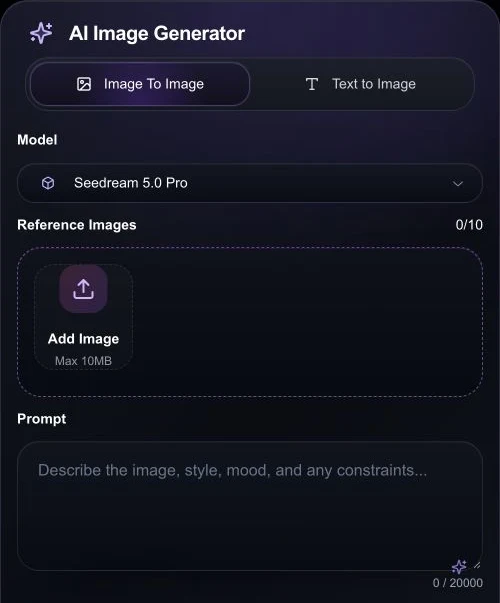
Watch the editing scope: This generator uses reference images and prompt instructions. It does not expose a brush or mask for locking an exact edit boundary. If every untouched pixel must remain fixed, use a selection-based or layer editor. Proofread any regenerated text.
Is there a useful Midjourney free alternative?
Yes, for trying a workflow: Leonardo offers daily tokens, Firefly offers limited daily generations, and eligible Ideogram accounts receive weekly credits. Free access has different limits on model choice, references, and editing. Check those limits against your actual task.
Leonardo: 150 daily tokens on Free; Auto-only model selection and public creations. Budget for edits and upscaling too.
Adobe Firefly: Limited daily free generations. Paid standard-generation allowances do not make all partner-model actions unlimited.
Ideogram: Weekly free credits depend on account eligibility. The sign-in screen currently says email-only accounts do not include free credits. References continue to consume credits.
Lanta AI: Check the sign-in offer and the selected model's displayed credit cost. A trial balance is not a recurring allowance or a fixed number of images.
For comparison, Midjourney Basic is US$10 with monthly billing, or US$96 paid annually (US$8 per month equivalent), checked November 13, 2026. Standard and higher plans include Relax image generation; Basic does not. See Midjourney's current plans before choosing a billing cycle.
Budget for a finished image
Count rejected attempts, editing passes, and the final upscale. For example, a brief that needs three attempts and two revisions uses five generation or editing actions before finishing. Compare the cost and wait time for that whole sequence. A cheap first image may still need expensive corrections.
Also check that the plan includes your required export resolution and editing tools. Before committing to a subscription, download one sample from your own trial workflow and inspect it at the size you will actually use.
Try one reference-image brief before you switch
Use one clear product photo or character image for your shortlist. Keep the subject and target size the same, then ask each tool to make a single change. This gives you a practical decision based on your own work.
Choose what must remain
For a product shot, list the silhouette, cap, label wording, and camera angle. For a character, list facial features, hair, and distinctive accessories.
Set up the input
In Lanta, open Image To Image, choose a model, upload your reference, and set the ratio. Confirm the displayed credit cost before generating. In a brush editor, select only the background you want to replace.
Inspect before another revision
Compare the subject with the original at full size. Reject changed label letters, altered facial features, and unexpected object shapes. If repeated prompts keep changing the subject, use a mask or composite the original subject over a new background.
Example prompt: change the setting, preserve the product
Use the uploaded bottle as the product reference. Keep its silhouette, cap shape, label wording, proportions, and camera angle. Replace the background with a pale stone tabletop and a soft lavender wall. Add a natural contact shadow under the bottle. Keep the label readable. Do not add objects or new text.
The prompt describes the target; the result still needs inspection. For help separating the subject, lighting, and composition in your instructions, use the AI image creation guide.
Start with your reference imageCommon questions
Can I move a Midjourney prompt directly to another tool?
Reuse the description of the scene, subject, lighting, and style. Remove Midjourney-specific parameters such as --ar or --stylize and set equivalent options in the new tool. Upload your reference again; another platform cannot reuse a Midjourney image reference or seed as an identical generation recipe.
Which alternative should I try for accurate text?
Start with Ideogram for typography-focused work, then check the exact words in your own example. Text accuracy varies with the model, language, font, and layout. For a required brand font, precise spacing, or long copy, use editable text layers rather than relying on the generated pixels alone.
Does a reference image guarantee the same character?
No. References guide generation, but faces, clothing, and accessories can still change. Reuse clear images, describe one scene change at a time, and compare the results side by side. A style reference alone is not the same as an identity reference.
Should I cancel Midjourney before trying an alternative?
Finish one representative job in the alternative first: generate, revise, export, and check the result. If Midjourney already gives you the look you need, adding a separate editing tool may solve your problem without moving the whole workflow.